



Contents: Headlights ↓ Direction indicators ↓ Fog lights ↓ Rear fog lights ↓ Headlight range adjuster ↓ Hazard warning lights ↓ Instrument cluster backlight control ↓ Interior lighting ↓ Reading lamps ↓
Headlights
Rotary switch
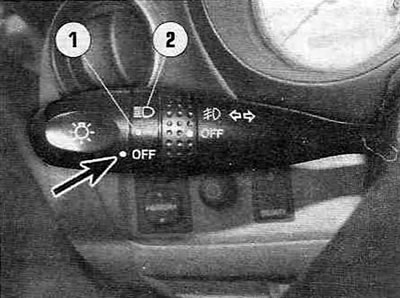
Figure 26,a. Left steering column switch.
Turn the switch knob to align the mark shown in the figure 26, and with an arrow, with the required position:
- "OFF" — external lighting is off.
- Position 1 - overall dimensions (parking) lights, license plate and instrument panel lighting.
- Position 2 - headlights, in addition to the above lights.
Note: On some models, when the ignition is turned on, the so-called "daytime running lights" are turned on (see chapter 12).
Sound signal reminding that the light is on
If you remove the ignition key from the lock and open the door, an audible signal will remind you that the exterior lighting is not turned off.
Switching headlights
To turn on the high beams, turn on the headlights and push the lever forward (away from you). To turn on the low beams, pull the lever toward you.
When you turn on the high beam headlights, a blue warning light will come on on the instrument panel.
Flashing high beam headlights
Pull the lever towards you. Flashing the high beam is also possible when the headlights are turned off (position "OFF").
The publication is taken from the website (www.toyotaman.ru)
Direction indicators
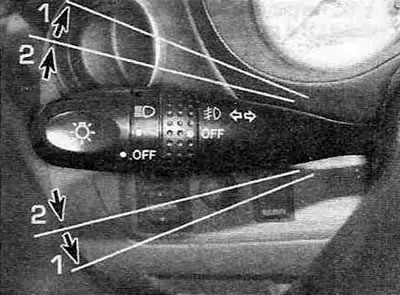
Figure 26.6. Switching the direction indicators.
To turn on the turn signal, move the left steering column stalk up or down to position 1.
The ignition key must be in the "ON" position.
To signal a lane change, move the steering column stalk up or down to position 2.
The lever will automatically return to its original position after the turn is completed. After changing lanes, you may need to return it to its original position by hand.
Fog lights
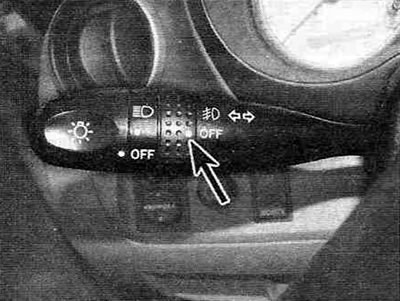
Figure 26, c. Fog light switch ring.
To turn on the fog lights, turn the ring to align the mark indicated by the arrow in the figure 26, in, with the required position.
The corresponding indicator will appear on the instrument panel.
Rear fog lights
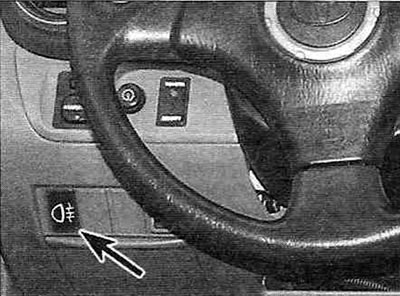
Figure 27. Rear fog light switch.
To turn on the rear fog lights, press the switch.
The corresponding indicator will appear on the instrument panel.
The rear fog lights will only illuminate when the headlights are on (high/low beam). After turning off the headlights, the fog lights will also turn off; to turn them on again (after turning on the headlights), you will need to press the button again.
Headlight range adjuster
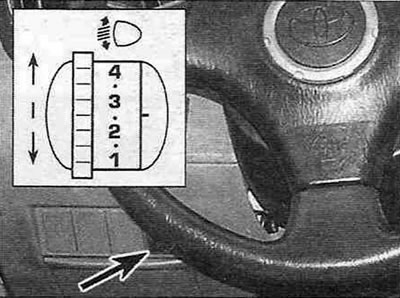
Figure 28. Headlight range control switch.
To adjust the height of the headlight beam, turn the switch to the appropriate position.
The table shows the recommended switch positions depending on the vehicle load:
| Three-door models without all-wheel drive | Other models | |
| Driver only | 0 | 0 |
| Driver + front seat passenger | 0 | 0 |
| All passenger seats are occupied (+ driver) | 1 | 1 |
| All passenger seats occupied (+ driver) + full trunk load | 2,5 | 2 |
| Driver + full trunk load | 2,5 | 2.5 |
Hazard warning lights
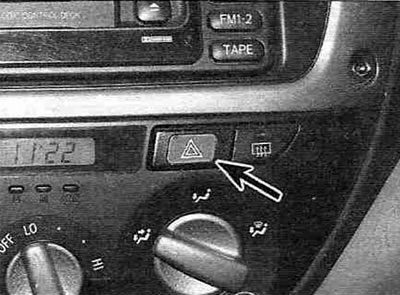
Figure 29. To turn on the hazard warning lights, press this button.
Instrument cluster backlight control
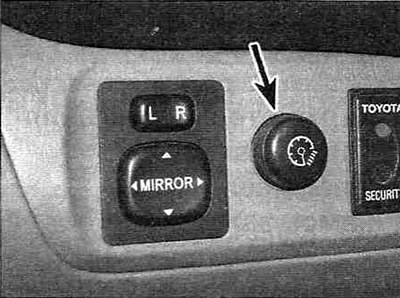
Figure 30. Instrument panel backlight brightness control.
Interior lighting
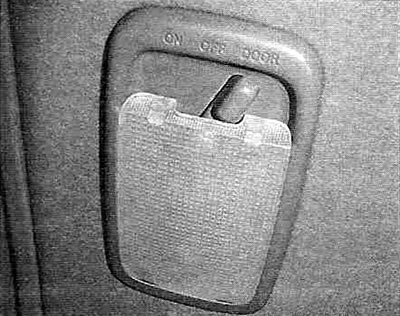
Figure 31. Interior light switch.
The interior light switch has the following positions:
- "ON" — Lighting is on all the time.
- "OFF" — Lighting is off.
- "DOOR" — The lighting turns on when any door is opened and turns off when all doors are closed.
"Polite" lighting
(with electric door locks)
If the switch is in the "DOOR" position, the lighting will turn on when any of the side doors or the tailgate is opened. After all side and rear doors are closed, the light will remain on for about 15 seconds and then smoothly turn off.
However, in the following cases the lighting will turn off instantly:
- If all doors are closed, when turning the ignition key to the "ACC" or "ON" position.
- If all the doors are locked.
On vehicles without a double locking system, all doors are unlocked using the key or the remote control located in the key head; the interior lighting will turn on for approximately 5 seconds and then gradually turn off, even if no door is open.
On vehicles with a double locking system, all doors are unlocked using the remote control (in the key head), the interior lighting will turn on for approximately 15 seconds and then gradually turn off, even if no door is open.
Automatic interior lighting switch-off function
To prevent the battery from discharging, the light will automatically turn off if the ignition switch is in the "LOCK" position and a door is left open for 20 minutes or more if the switch is in the "DOOR" position.
Reading lamps
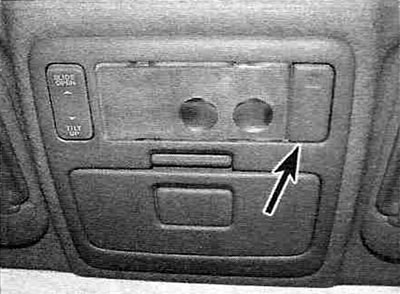
Figure 32. Reading lamps (models with electric sunroof).
Ignition switch illumination
For easy access to the ignition switch, it is illuminated when one of the front doors is opened.
The backlight remains on for about 15 seconds after all doors are closed.
If all doors are locked or if the ignition switch is turned to the "ACC" or "ON" position after all doors are closed, the light will gradually turn off.