



Warning! The models covered by this manual are equipped with a Supplemental Restraint System (SRS), commonly known as the air bag system. To prevent accidental air bag deployment, which could result in injury, be sure to disable the air bag system before working near air bag components (see chapter 12).
Caution: To avoid damage to the PCM due to electrostatic discharge, handle the PCM only by the housing. Do not touch the electrical contacts during removal and installation. If possible, ground yourself to the vehicle using a grounding strap, available at computer stores.
Note: The PCM is located in the vehicle interior behind the storage compartment (glove compartment) to the right of the heater fan housing.
1. Disconnect the ground cable from the battery (see paragraph 1 of chapter 5).
2. Remove the storage compartment assembly.
3. Disconnect the PCM electrical connectors (Fig. 14.3).
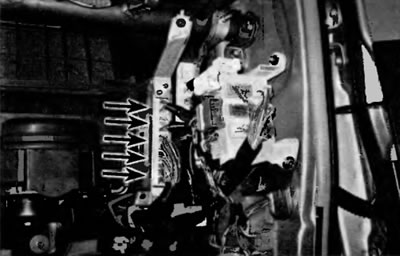
Fig. 14.3. To remove the PCM, disconnect the electrical connectors...
4. Unscrew the upper and lower nuts of the PCM support bracket (Fig. 14.4) and carefully remove the PCM.
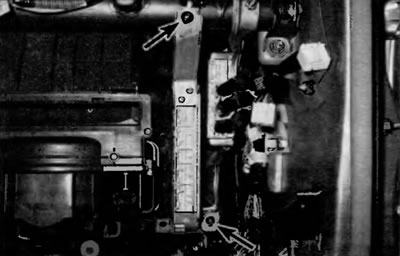
Fig. 14.4. ...unscrew the upper and lower nuts securing the outer bracket (shown is a Toyota Highlander RCM, the bracket shape and nut placement on Lexot RX models are slightly different)
Caution: To avoid damaging the module, avoid exposing it to static electricity. Before handling the PCM, ground yourself to the vehicle body using a grounding strap, if possible. Use a special anti-static pad to store the removed PCM.
[The text is taken from the specified website: ToyotaMan.ru]
5. Installation is performed in the reverse order of removal.