



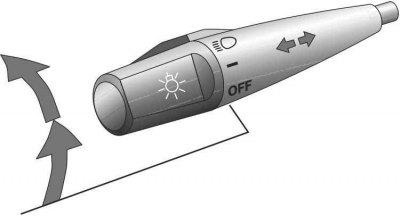
To turn on the headlights, turn the handle at the end of the lever.
On some vehicles, the following lights come on when the engine is started (the headlight switch is in the Off position).
First click position: Only the parking lights, tail lights, license plate lights and instrument panel lights are switched on.
Second click position: headlights turn on.
On vehicles equipped with a headlight beam adjuster, set the desired beam position before turning on the headlights (see subsection 11.15).
If the ignition key is in the Lock position with the headlights on, an audible signal will sound when the driver's side door is opened, reminding you to turn off the headlights.
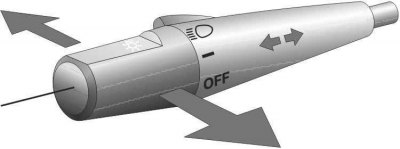
To turn on the high beam headlights, turn the handle away from you. To turn on the low beam headlights, turn the handle toward you. To switch the headlights to flashing mode, additionally turn the handle toward you.
To turn on the high beam headlights, the switch must be in the second click position. The high beam headlights are turned on by a blue indicator light on the instrument panel.
The flashing mode is maintained even if the switch handle is in the Off position.
[The article was copied from the portal ToyotaMan]
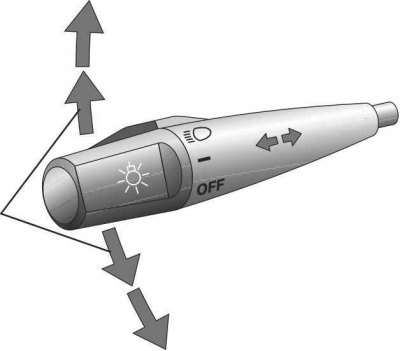
To turn on the turn signal, move the lever up or down until it stops.
The ignition key must be in the On position.
The turn signal switches off automatically after a turn, but it can also be switched off manually. You can also signal the maneuver by moving the turn signal lever up or down, but to an intermediate position, and holding it in this position. Burnt-out rear or front turn signal bulbs are indicated by an increased flashing rate of the green indicator lamp.