



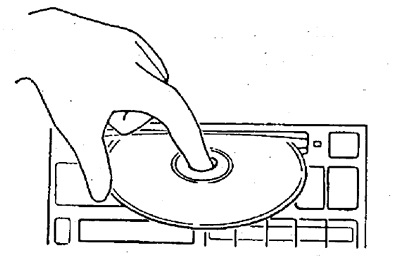
Insert the disc with the label facing up, being careful.
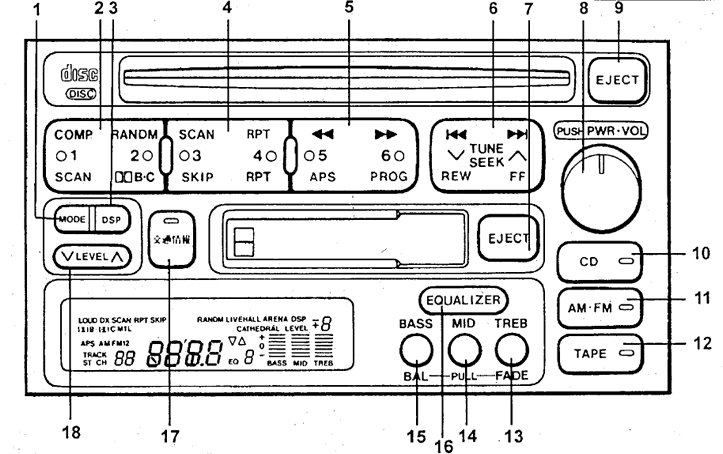
Playback and stop are performed by pressing button 8 "PWR".
(The text is quoted from the source website: ToyotaMan.ru)
To eject the disc, press button 9 "EJECT".
Rewind
To rewind, press button 5 (backward (") or forward (")). Rewinding will stop when you release the button.
Quick view of the disk
Pressing button 4 "SKAN" plays 10 seconds of each recording in order. Pressing button "SKAN" again will continue playing the current melody.
Selecting a Recording
To select a record, press button 6 (^ or v) until the desired record number appears on the display. Pressing button 2 "RANDOM" plays the melodies in random order.
Repeat recording
To play the current recording in a loop, press button 4 "RPT". To turn off the repeat, press the button again.