



Checking the Air Conditioner Switch on 80 Series Vehicles
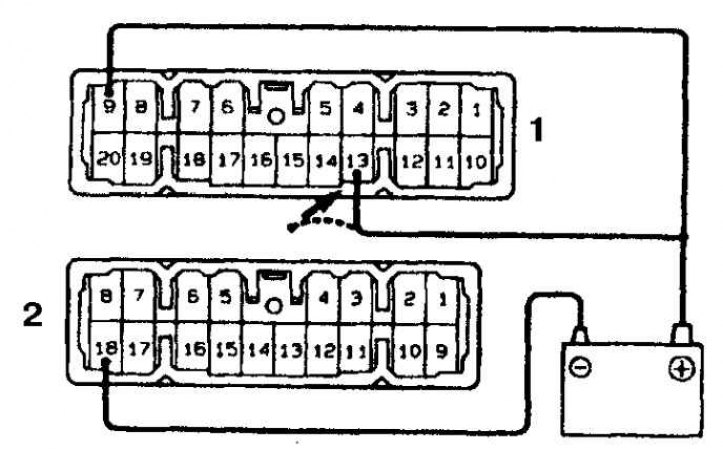
1. Connector A
2. Connector B
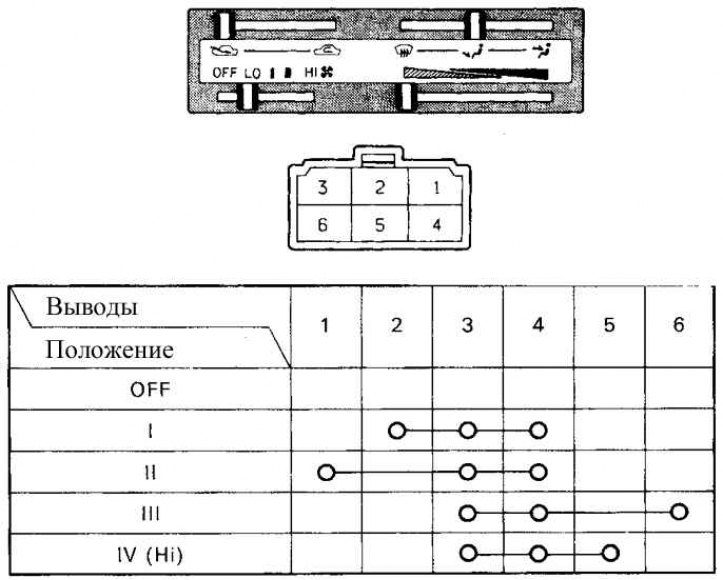
62 Series Heater Switch Test Chart
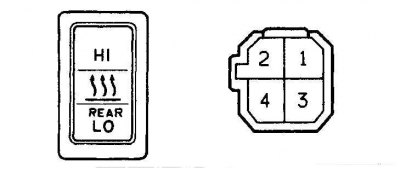
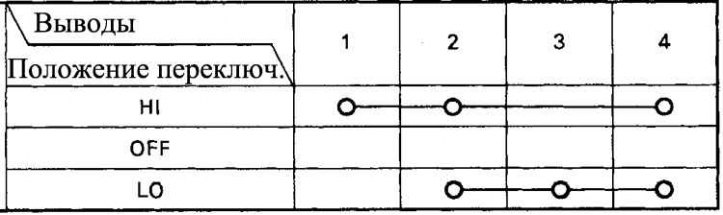
Rear Heater Switch Test Chart for 62 Series Vehicles
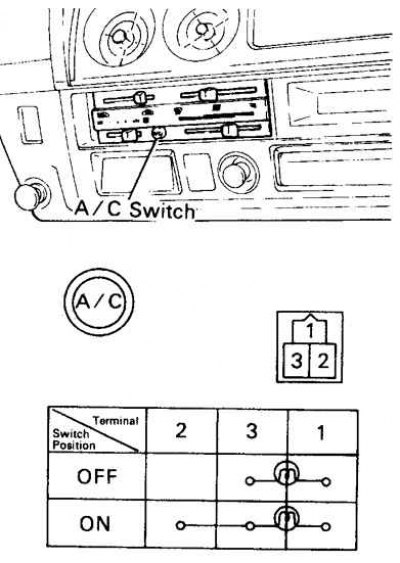
1. Remove the air conditioner switch and check the contact closure according to the table (for cars of series 60, 62).
2. Check the fan speed switch (on 80 series vehicles).
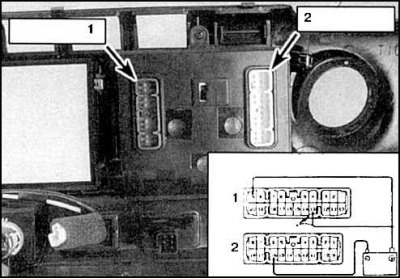
3. Connect the (+) battery terminal to terminal 9 of connector A and the (-) terminal to terminal 16 of connector B. Press each speed selection button (switch to IN position) and make sure that the indicator lamp lights up. When connecting the (+) pole to terminal 13, the indicator lamp goes out (1 - connector B, 2 - connector A).
4. Check the air conditioner switch (on 80 series vehicles).
5. Connect the (+) pole of the battery to terminal 9 of connector A, and the (-) pole to terminal 18 of connector B. Press the air conditioner button (switch to IN position) and make sure that the control lamp lights up. When connecting the (+) pole to terminal 13, the control lamp goes out (see fig. Checking the air conditioner switch on 80 series vehicles).
6. Check the heater switch according to the table (see Fig. 62 Series Heater Switch Test Chart).
(The original is published on the website: toyotaman.ru)
7. If the switch operation is different, replace the control panel assembly.
8. Check the rear heater switch according to the table (see fig. Rear Heater Switch Test Chart for Series 62 Vehicles).
9. If the switch operation is different, replace the control panel assembly.