



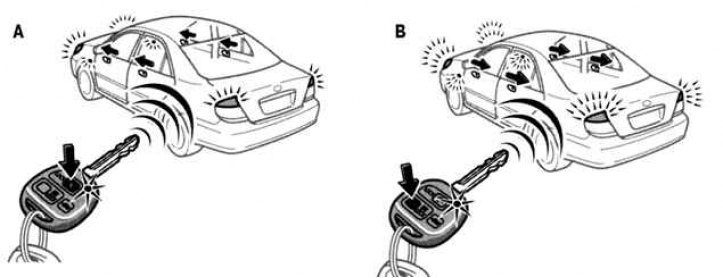
Fig. 1.27. Locking and unlocking doors: A - locking operation; B – unlocking operation
To lock or unlock all doors, press the switches slowly and carefully (Fig. 1.27).
If you lock the doors using a wireless remote device, the doors will not be able to be opened using the electric door lock switch. The electric door lock switch can be returned to its original state by unlocking it with the key of a wireless remote device.
To lock: Press the "LOCK" switch. All doors will be locked simultaneously. At this moment, the direction indicator lights will flash once.
Check and ensure that all doors are securely locked.
If any door is not securely closed or if the key is in the ignition switch, the doors cannot be locked with the "LOCK" switch.
To unlock: Press the "UNLOCK" switch. All doors will unlock simultaneously. At this point, the direction indicator lights will flash twice.
When all doors are unlocked simultaneously using the wireless remote control key, the ignition switch light and interior light come on for approximately 15 seconds and then gradually go out even if the door is not opened.
You will have 30 seconds to open the door after using the wireless remote unlocking function. If the door is not opened within this time, all doors will be automatically locked again.
Publication Reprinted from a web portal: toyotaman.ru
If the "LOCK" or "UNLOCK" switch is kept pressed, the unlocking and locking operations will not be repeated. Release the button and then press it again.