



Contents: Examination ↓ Replacement ↓
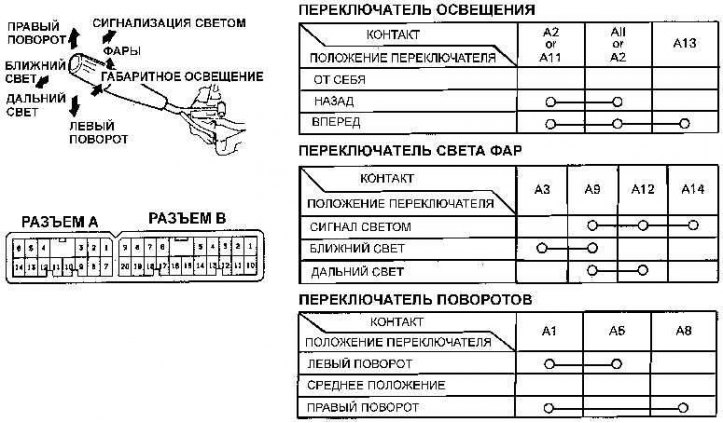
Light switch and contact states on the connector at different switch positions
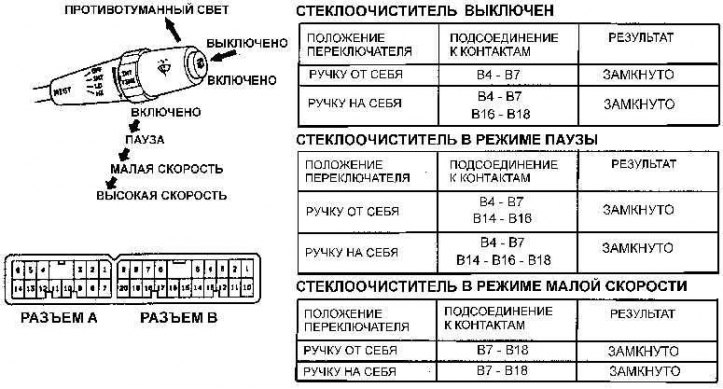
Windscreen wiper switch and connector contact status at different switch positions
Examination
1. Remove the ground cable from the battery.
2. Remove the upper and lower steering column covers.
3. Disconnect the large electrical connector located on the wiring harness at the bottom of the steering column.
4. Using an ohmmeter, check the resistance between the connector contacts depending on the position of the switches (see Fig. Light switch and states of contacts on the connector at different switch positions and Fig. Windscreen wiper switch and states of contacts on the connector at different switch positions).
Replacement
Multi-function steering column switches
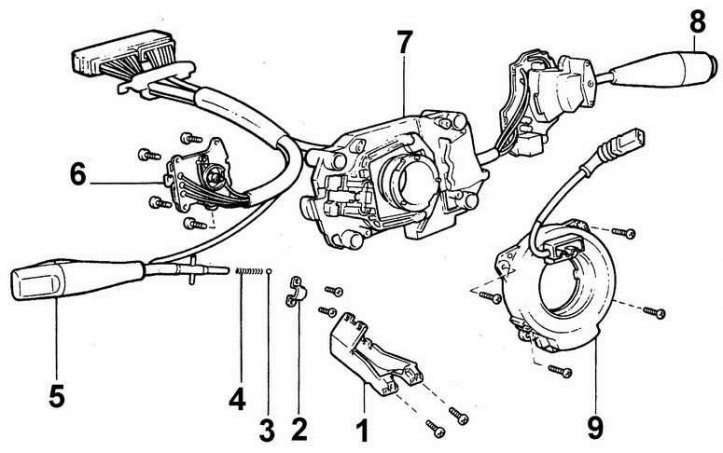
1 – wiring harness cover; 2 – mounting bracket; 3 - ball; 4 – spring; 5 – switch handle; 6 – Light switch; 7 – base of switches; 8 – Windscreen wiper switch; 9 – spiral drive unit
1. Remove the steering wheel.
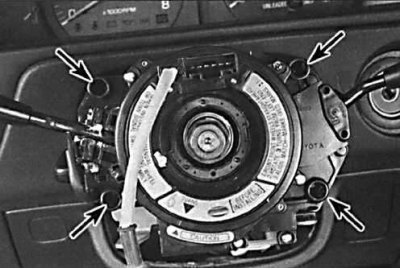
2. Loosen the screws securing the multifunction switch.
3. Release the clips and remove the switch along with the wiring harness from the steering column.
4. Unscrew the mounting screws and remove the desired switch from the switch base (see Fig. Steering column multifunction switches).
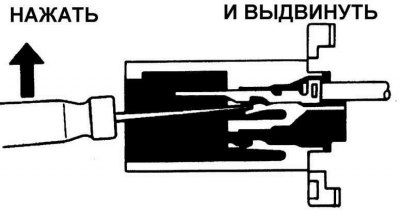
5. Remove the contacts of the wires of the switch and connector being replaced. Insert a thin narrow screwdriver from the front of the connector and press the fixing tab on the contact and remove the contact from the connector by the wire.
6. From the back of the connector, insert the contacts of the new switch into the connector and push them in until they lock firmly into place.
7. Further installation is carried out in the reverse order of removal.